
How much can each mailbox send?
See the limits that set a mailbox's current send budget and when each limit changes.
3 min read
A mailbox’s send budget is the lowest of six limits that apply to it right now. ColdMerge counts sent messages, queued sends, and previews in a rolling 24-hour window.
The six limits
Section titled “The six limits”| Limit | Amount | How it changes |
|---|---|---|
| Mailbox age | 20, 40, 75, 150, 300, then 500 as the mailbox ages through day 35 | Rises automatically with age |
| Recent volume | Twice the highest completed 24-hour period from the previous seven days, with a floor of 20 | Rises when the mailbox demonstrates more volume |
| Trial allowance | The organization’s remaining whole-trial allowance | Ends when the allowance is used or the trial ends |
| Trial daily cap | Up to 100 recipients per UTC day across the organization | Resets at midnight UTC while trialing |
| Your daily cap | The limit set in Send budget | Changes when an Owner or Admin edits it |
| Provider ceiling | 2,000 for Google Workspace, 100 for free Gmail | Fixed by mailbox type |
The age ramp is:
| Days since connection | Age limit |
|---|---|
| 1 to 3 | 20 |
| 4 to 7 | 40 |
| 8 to 14 | 75 |
| 15 to 21 | 150 |
| 22 to 28 | 300 |
| 29 to 35 | 500 |
| Day 36 onward | No age limit |
The account row names the limit currently holding the budget down.

The rolling 24-hour window
Section titled “The rolling 24-hour window”The mailbox budget does not reset at midnight. Each send leaves the window 24 hours after it happened, so capacity returns gradually.
These count against the mailbox budget:
- campaign messages and follow-ups that sent;
- messages already queued to send;
- preview messages, one count per recipient.
Failed messages do not count. A trial’s separate 100-a-day organization cap does reset at midnight UTC.
Campaign messages, hand-composed messages, and previews share the same mailbox allowance. A send reserves its place before leaving, so simultaneous requests cannot each spend the same last slot. Retrying a hand-composed message with its original request key returns its existing result without spending another send.
Open the Send budget dialog
Section titled “Open the Send budget dialog”- Open Settings, then Accounts.
- Select Send budget on the mailbox row.
The dialog shows every limit and highlights the one currently setting the allowance. Its help explains both trial limits alongside the mailbox limits.
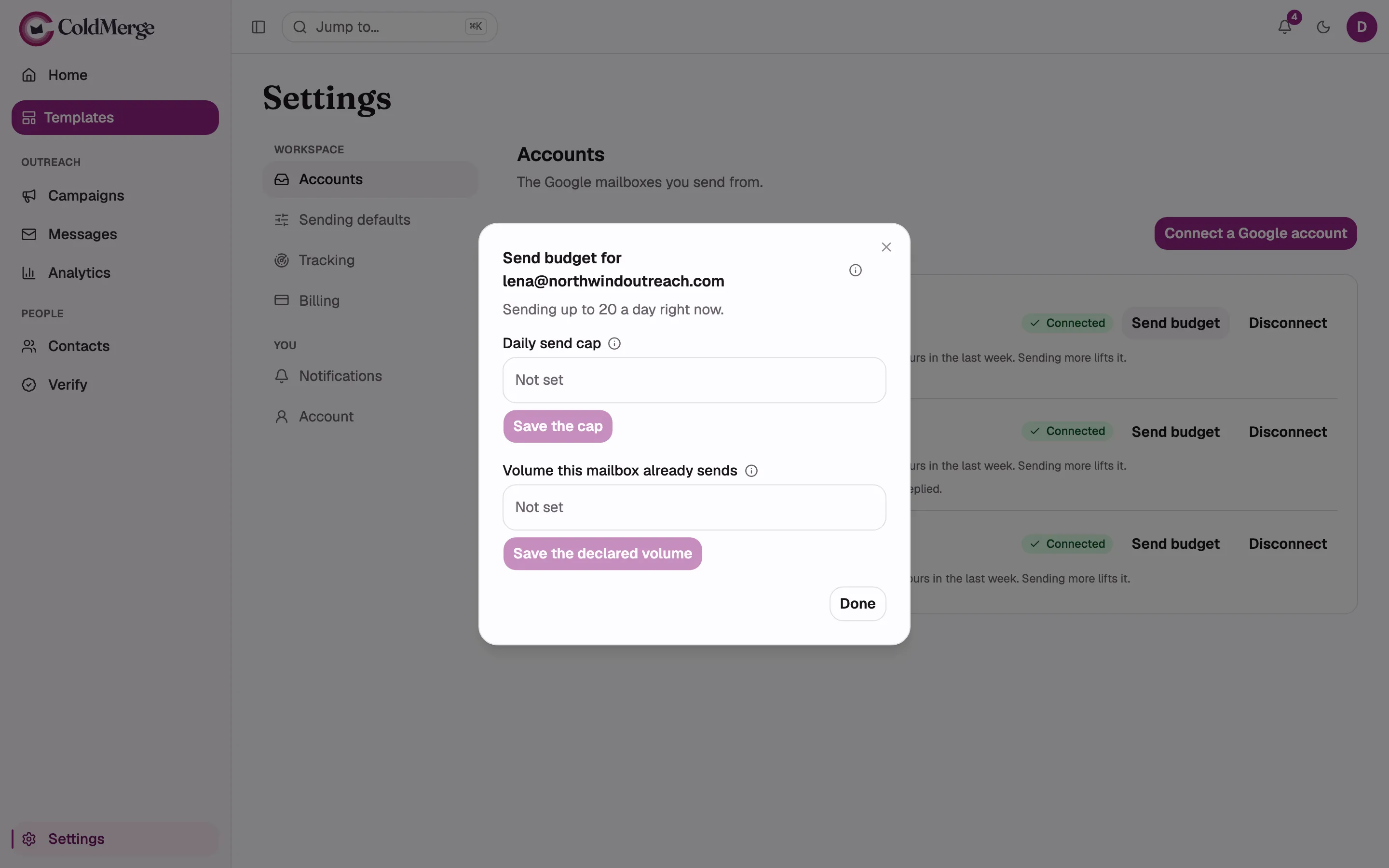
- Set a daily send cap if you need one.
- Declare volume this mailbox already sends elsewhere.
- Select Save after changing a value.
Set your daily cap
Section titled “Set your daily cap”- Enter a whole number in Daily send cap.
- Select Save the cap.
This setting can lower the budget but cannot raise it above another limit.
Declare existing volume
Section titled “Declare existing volume”Use Volume this mailbox already sends when you connect a mailbox that already has regular sending history outside ColdMerge.
- Enter the number it already sends each day.
- Select Save the declared volume.
This can raise only the mailbox-age limit. It does not raise the recent-volume limit or provider ceiling.
For the reason behind these limits, see Why does my new mailbox start with a low send budget?.