
Why did my campaign pause itself?
Identify an automatic campaign pause, fix its cause, and decide when it is safe to resume.
2 min read
ColdMerge automatically pauses one campaign when continuing would send broken mail or risk the sending account. It sends an immediate email and bell notification when this happens.
Automatic pause reasons
Section titled “Automatic pause reasons”| Reason | What to fix |
|---|---|
| Message body became empty | Restore the campaign body before resuming |
| Unsubscribe footer was lost | Fix the message markup or footer |
| Five sends failed in a row | Check recent Messages and the connected mailbox |
| Bounce rate reached the safety threshold | Review the remaining list before resuming |
Only that campaign pauses. Other campaigns continue unless they have their own problem.
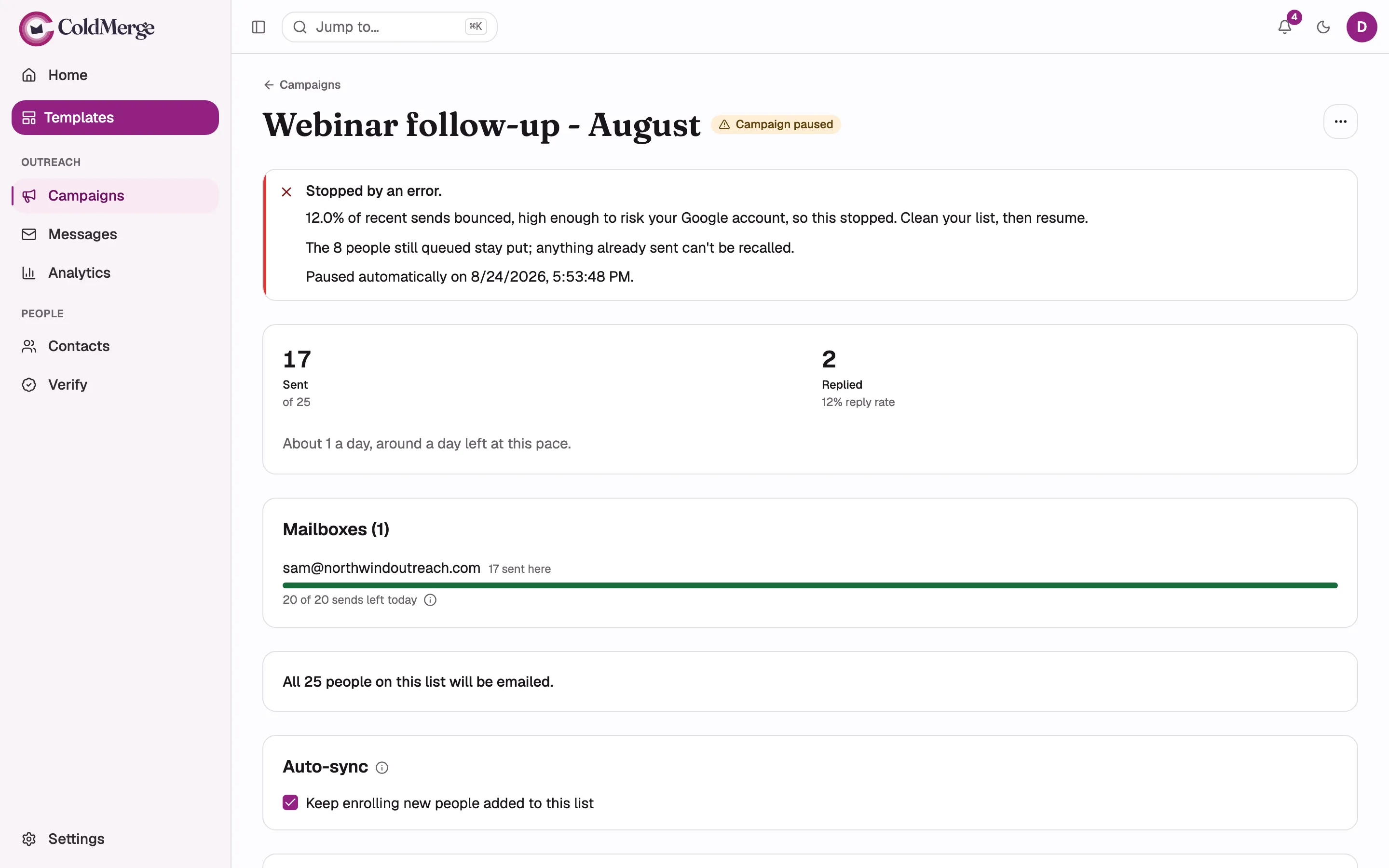
- The campaign badge shows it has paused.
- Read the bounce rate and reason sending stopped.
- The sent count remains visible after the pause.
The bounce-rate rule
Section titled “The bounce-rate rule”The campaign pauses when at least 10% of its most recent 200 sends bounced. The rule waits until at least 100 sends are one hour old, so a few early bounces do not stop a new campaign before enough results exist.
| Bounce rate | What ColdMerge shows |
|---|---|
| Under 5% | No warning badge |
| 5% to under 10% | Elevated |
| 10% or more | High and an automatic pause once the volume rule is met |
Permanent bounces add the address to suppression. Temporary responses such as a full mailbox do not.
Why the pause waits for you
Section titled “Why the pause waits for you”Stopping the campaign also stops new bounce results. If the pause cleared itself as the rate changed, the same poor list could restart without review. ColdMerge therefore requires a person to choose Resume.
What Resume does
Section titled “What Resume does”Resume does not delete earlier bounces from reports. It starts a new bounce-rate evaluation from the sends made after resuming. The campaign must again reach 100 resolved sends before the automatic rule can trigger.
Before you resume
Section titled “Before you resume”- Open Messages and review recent failures.
- Confirm that the sending mailbox is connected and allowed by Google.
- Remove or suppress addresses you should not contact.
- Verify the remaining list if its quality is uncertain.
- Return to the campaign and choose Resume.
If the list itself caused the pause, a smaller clean list in a new campaign is safer than continuing the same audience.